Easy Mode in Envision. Making Complexity Approachable
Leading the research-driven development of Envision Easy Mode to create a lower-friction path from Enscape into advanced visualization.
Product strategy

Project Overview
Role: Product Design Manager
Product: Envision
Industry: 3D Visualization Software
Team: Product Design, UX Research, Product Management, Engineering
Focus: Product strategy · Research-driven design · Design leadership · Progressive disclosure · Cross-product experience
Overview
Enscape and Envision support different stages of architectural visualization. Enscape is known for making real-time visualization accessible to architects and designers directly within their CAD/BIM workflow. Envision extends those capabilities into more advanced visualization, animation, scene assembly, and presentation workflows.
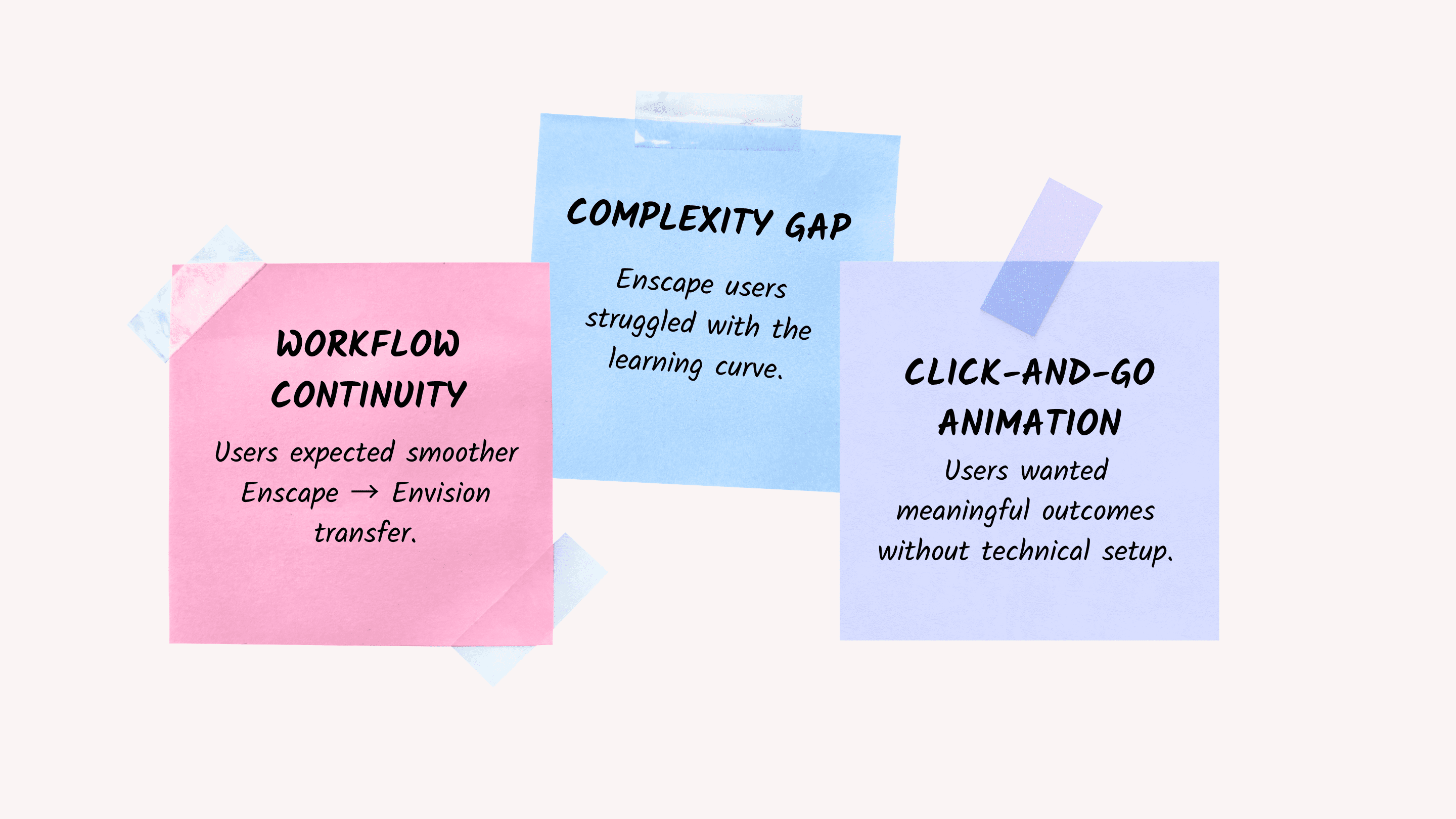
The strategic opportunity was clear: Envision could become the natural next step for Enscape users who needed more sophisticated output. The customer experience was less clear. Research showed that many Enscape users opened Envision and encountered a significant increase in perceived complexity. The product offered more power, but that power came with unfamiliar terminology, technical parameters, advanced animation workflows, and a substantially steeper learning curve.
When I joined the team, initial Easy Mode concepts and hypotheses already existed, but substantial design and validation work had not yet started. My role was to help turn a broad ambition, make Envision easier to adopt, into a focused product strategy grounded in customer evidence.
The Challenge
Enscape's ease of use was one of its strongest customer advantages. Ongoing CSAT research showed approximately 90% satisfaction with Enscape's ease of use, while Envision's overall CSAT was considerably lower, averaging 4.62/7 in December 2025.
The gap was particularly important because Envision was intended to serve many of the same customers as their visualization needs became more sophisticated.
The research highlighted several adoption barriers:
36% of customers reported that they did not have enough time in their project schedules to manage complex visualization setups.
20% said their teams did not have the necessary 3D skill set for advanced animation workflows.
Camera animation had one of the largest gaps between customer importance and satisfaction.
Qualitative feedback repeatedly described Envision as intimidating, technically complex, and disconnected from the fast workflows users associated with Enscape.
This created a strategic UX problem:
How might we make advanced visualization approachable to Enscape users without removing the professional capability that makes Envision valuable?
Connecting Customer Evidence to Product Direction
I partnered closely with both UX Researchers supporting the portfolio. The research program combined broad quantitative CSAT data with qualitative interviews and prototype testing across different customer groups, including Enscape users, V-Ray and Vantage users, and educators and students.
My contribution focused primarily on prioritization, product strategy, and design direction.
Rather than treating every reported pain point as equivalent, we looked for the areas where:
customer frustration was high;
the workflow was important to adoption;
simplification could create meaningful value;
we could deliver and validate improvements without redesigning the entire application.
The research consistently pointed toward animation, keyframing, materials, onboarding, and output as some of the highest-friction areas for users transitioning from Enscape.
This became the foundation for defining Easy Mode v1.
Choosing the Right V1
One of the most important decisions in the project was determining how broadly Easy Mode should change the application.
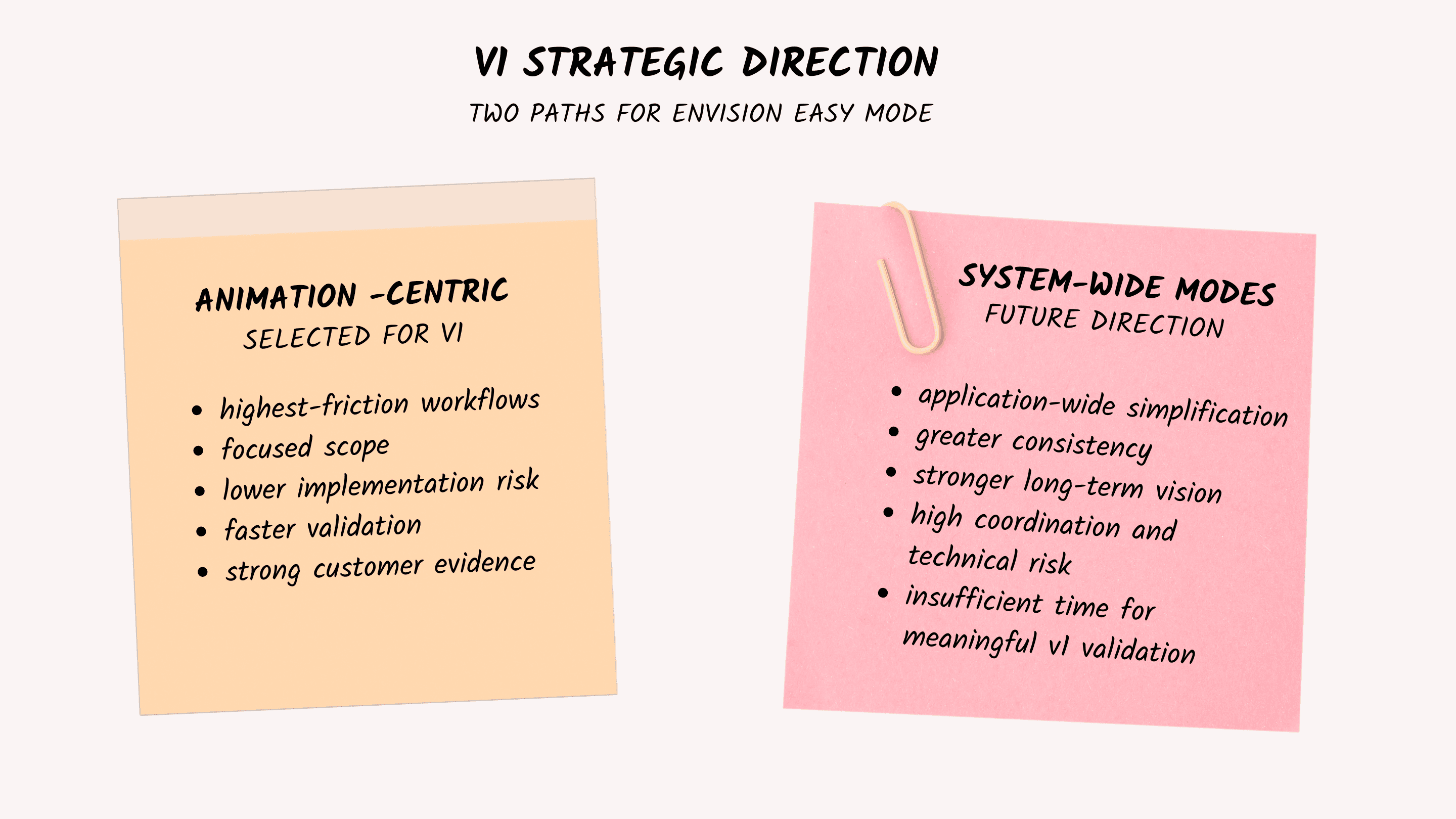
Together with Product Management and UX leadership, we developed two strategic directions.
Variant 1: Animation-Centric
A focused approach targeting the workflows generating the highest customer friction.
Easy Mode would concentrate primarily on:
timeline and animation;
keyframing;
simplified material editing;
quick image and video export;
first-run personalization and onboarding.
Technical complexity would remain available underneath, but users could achieve common outcomes through presets, automation, and simplified controls.
Variant 2: System-Wide Modes
A much broader restructuring of Envision.
Easy and Advanced Mode would become persistent application-wide states, with nearly every major system component (materials, object properties, lighting, scene hierarchy, scattering, and detail panels) adapting dynamically to the selected mode.
This direction offered stronger long-term consistency and a compelling product vision. It also introduced significantly higher design, technical, and coordination risk. There was insufficient time to redesign, validate, and implement every major Envision workflow to the same quality level for the initial release.
The decision
We selected the Animation-Centric approach for v1. The decision was not simply about reducing engineering effort. Research showed that timeline and animation workflows represented some of the greatest barriers to adoption. A focused release allowed us to solve those problems properly, ship sooner, and begin collecting evidence before expanding the model across the rest of the application.
We chose to solve the most important customer problems well rather than simplify the entire product superficially.
Protecting Simplicity
Once Easy Mode became a concrete initiative, another challenge appeared. As Product explored what was technically possible, the proposed scope naturally began to grow. Many capabilities could theoretically be surfaced in Easy Mode. But every additional control introduced a risk of recreating the same complexity we were trying to solve.
I repeatedly pushed the team back toward the original customer problem.
The question became:
Does this help a new Envision user achieve a core outcome with less knowledge, setup, or decision-making?
If the answer was no, the functionality belonged in Advanced Mode or outside v1. This helped establish a clearer framework for deciding where functionality should live.
Outcomes, Not Parameters
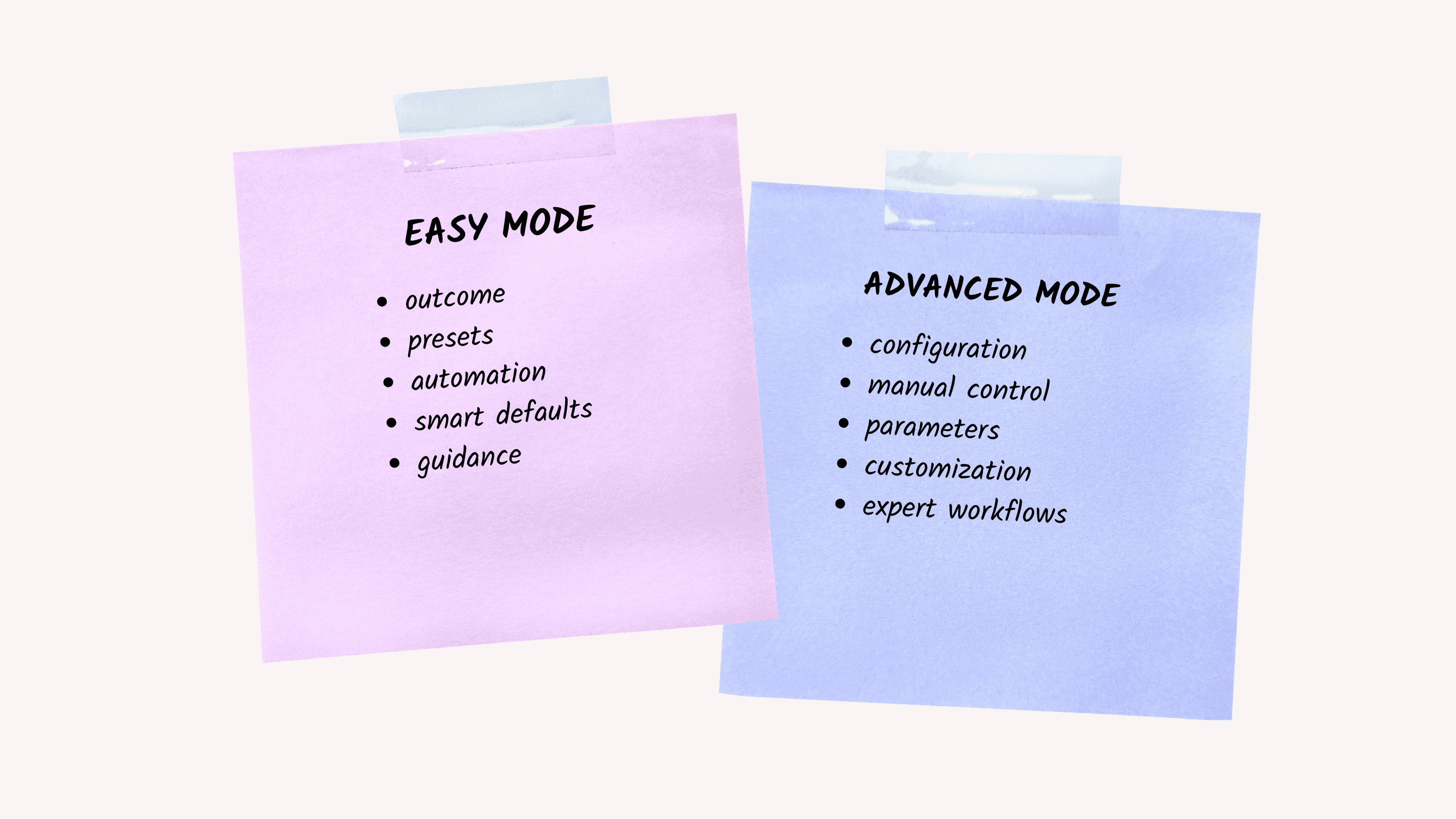
The central principle behind Easy Mode was progressive disclosure. Easy Mode should expose what the user wants to achieve. Advanced Mode should expose how the system achieves it. This created a preset-driven abstraction model across the experience.
Walkthroughs
Instead of requiring users to understand raw camera keyframes and timeline mechanics, Easy Mode focused on creating a walkthrough.
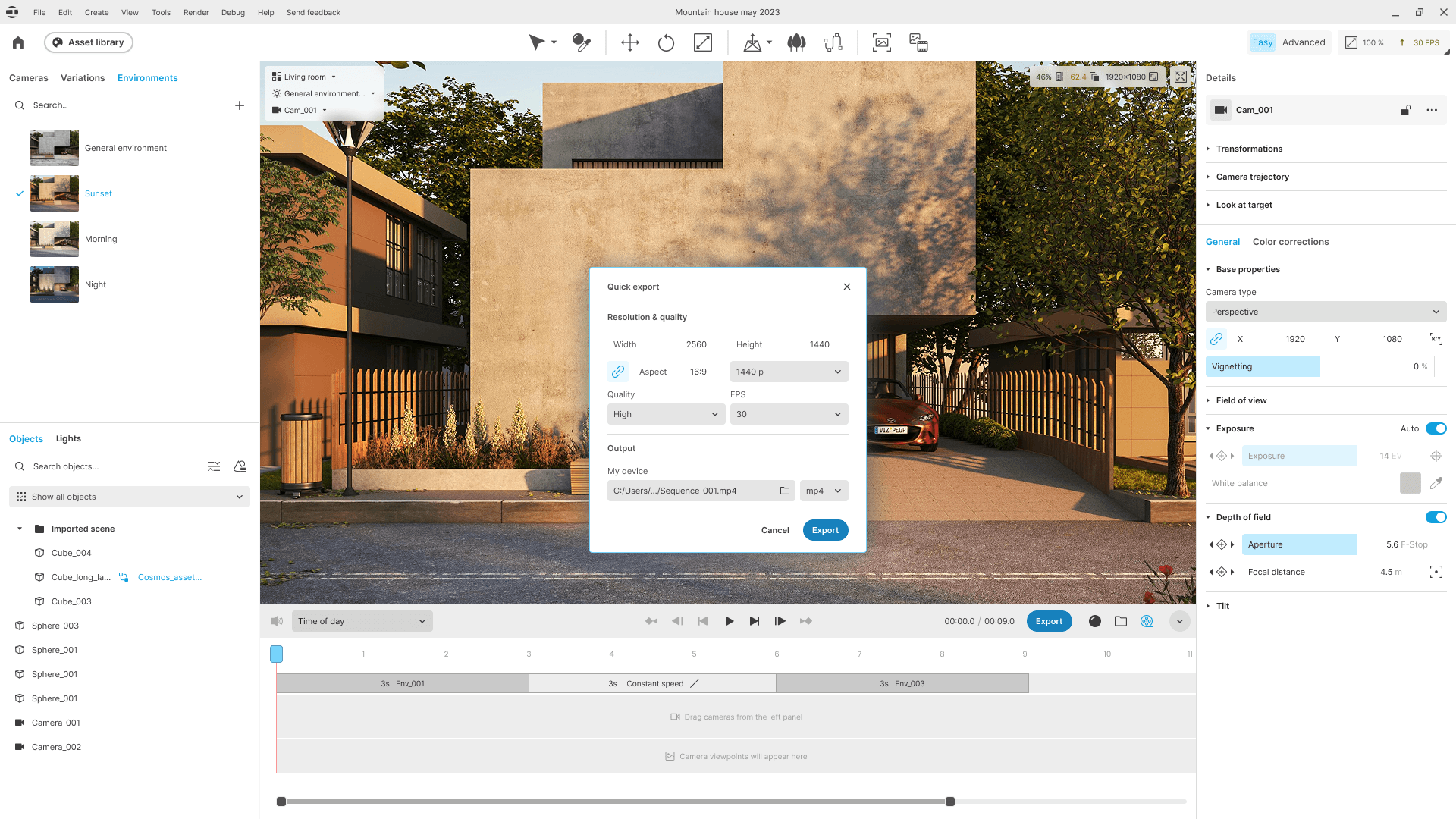
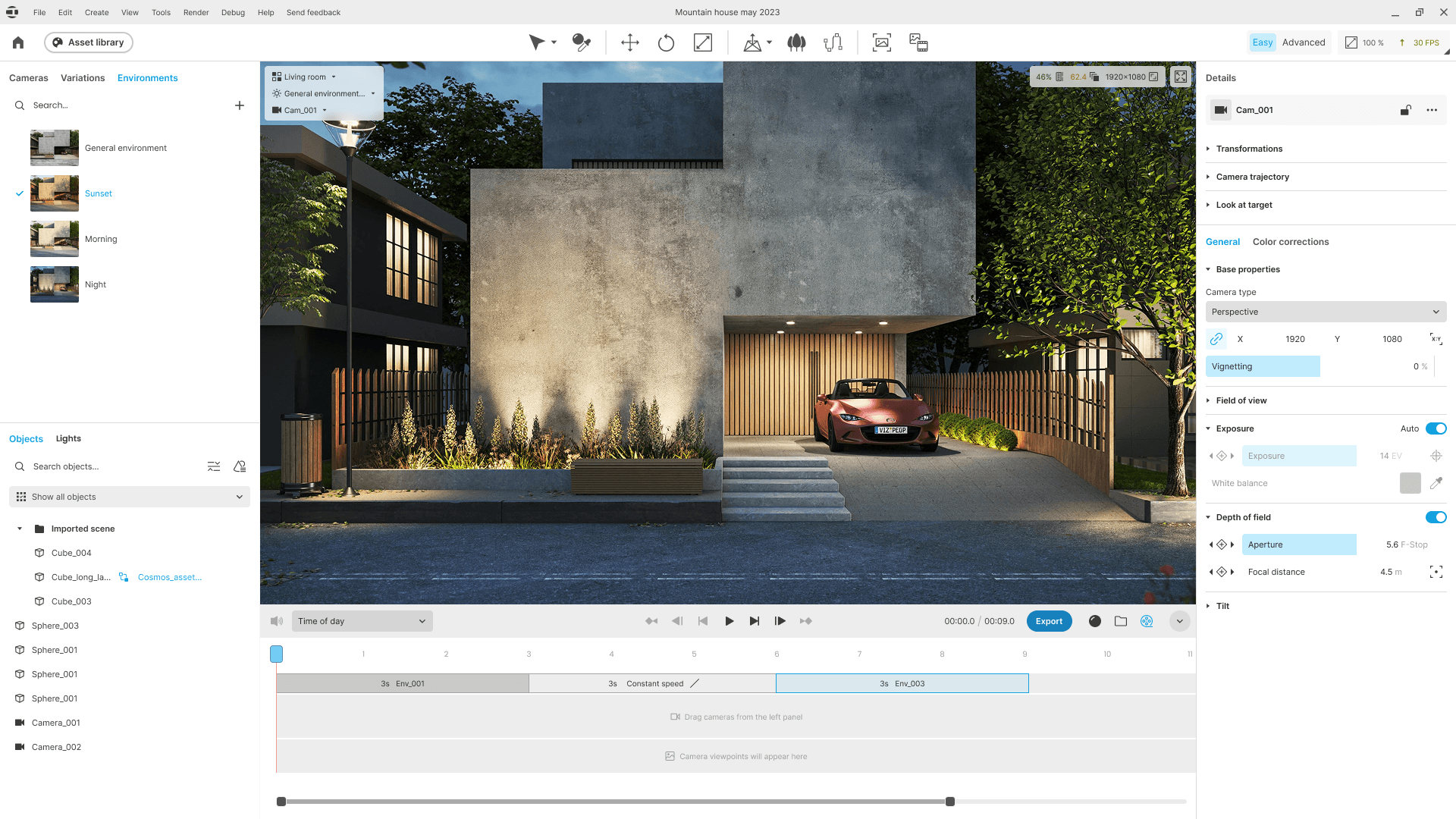
Time of Day
Users could animate environmental change without first understanding the deeper lighting and environment systems.
Phasing
Users could create meaningful scene-state changes without being exposed immediately to the underlying technical structures.
Automated Assets
Rather than configuring sensors, triggers, and animation logic manually, users could work with pre-configured interactive assets.
Quick Outputs
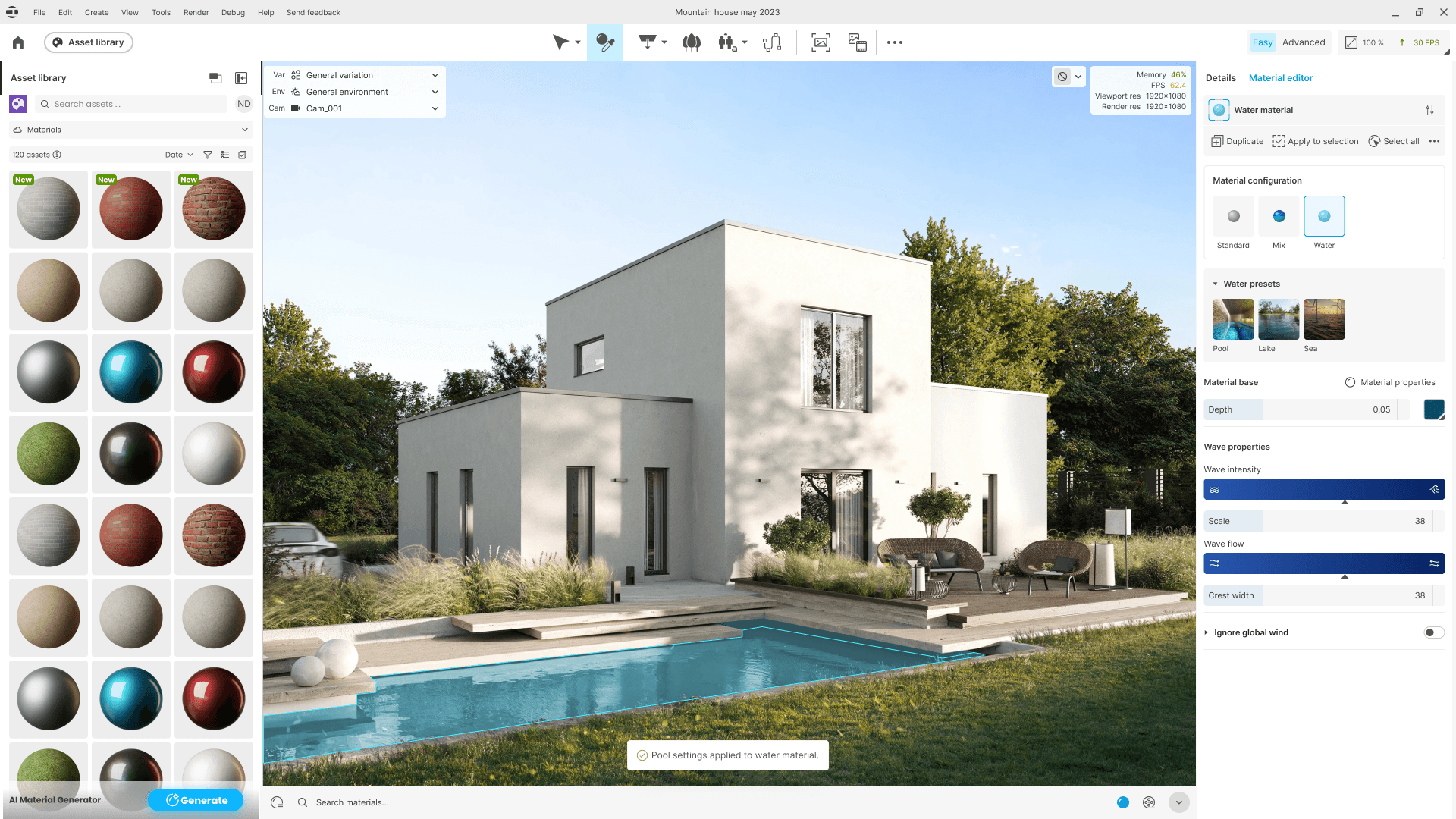
Common image and video exports exposed essential quality and resolution presets without requiring users to configure a full render queue.
Easy Did Not Mean Limited
A major design risk was turning Easy Mode into a simplified, disconnected version of Envision. We explicitly avoided that.
The principle was:
Hide the complexity, not the capability.
Easy and Advanced Modes operate on the same underlying scene data. Work created in Easy Mode remains valid when users move into Advanced Mode. A user can start with presets and simplified controls, then expose the deeper parameters when they need additional precision.
This made Easy Mode a learning path rather than a permanent limitation.
We established four core principles:
Preset-first
Complex systems remain intact but are exposed through meaningful defaults and automated behaviors.
Non-destructive switching
Moving between Easy and Advanced does not require rebuilding work or starting over.
Professional output parity
Simplified controls do not reduce the underlying rendering or simulation quality.
Progressive learning
Guidance can be more conceptual in Easy Mode and increasingly technical as users move toward Advanced workflows.
Designing an Enscape-First Landing Pad
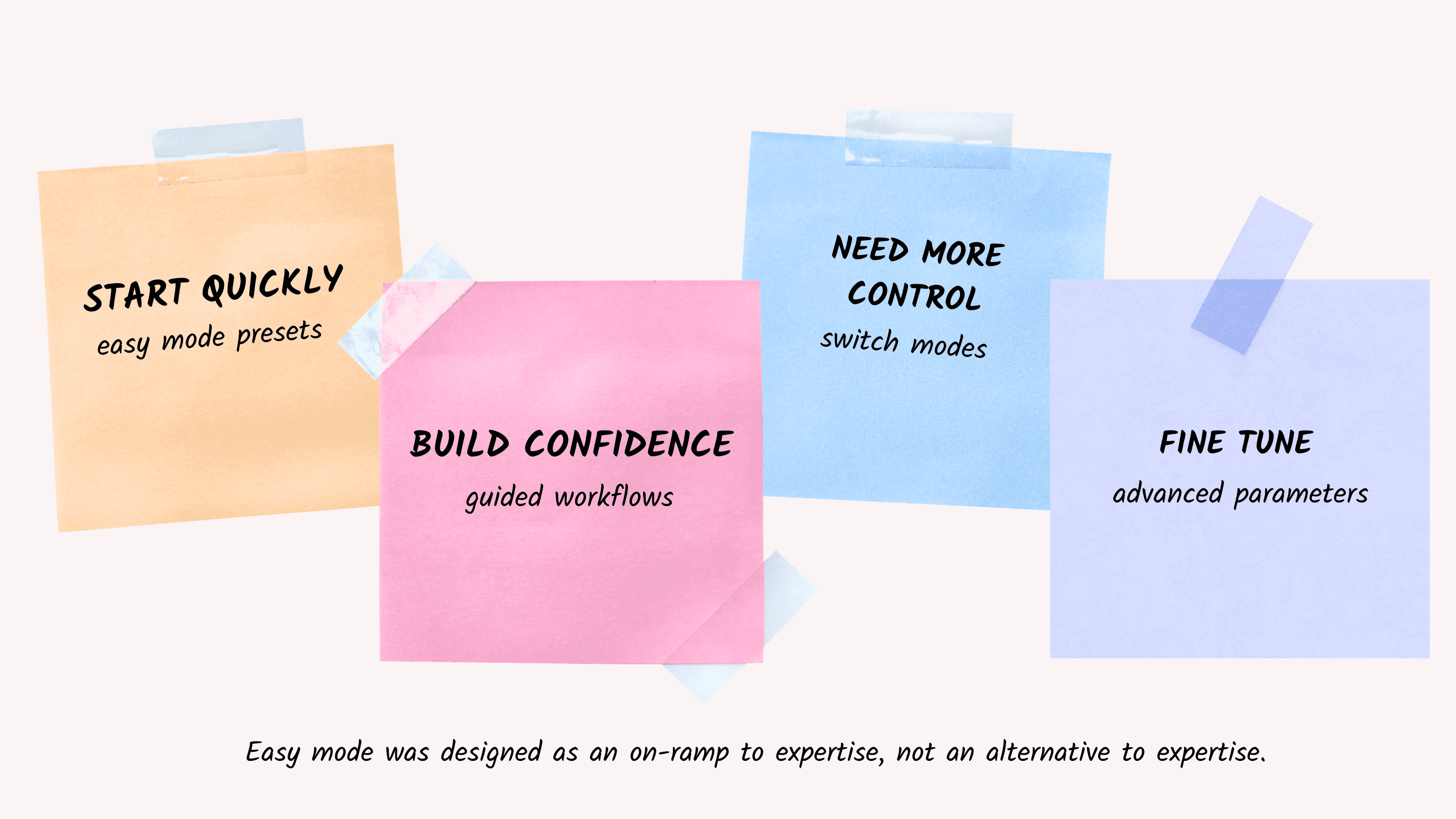
Easy Mode was not intended to make Envision simpler in isolation. It supported an explicit portfolio strategy: make Envision feel like the natural next step for existing Enscape users.
The broader customer journey was:

That meant familiarity mattered. The team deliberately aligned Easy Mode with concepts Enscape users already understood.
This included:
Enscape-inspired interface personalization during first launch;
outcome-focused terminology;
direct compatibility with familiar Enscape material properties;
shared Chaos Cosmos assets;
workflows designed to feel like an expansion of existing capability rather than a completely new professional discipline.
The goal was not to make Envision behave exactly like Enscape. It was to preserve enough familiarity that users could spend their cognitive effort learning new capability, rather than relearning basic interaction concepts.
Validating the Direction with Users
We tested concepts and prototypes through qualitative interviews with customers from different backgrounds. The research surfaced a useful contrast.
Enscape users
Envision's standard experience often felt significantly more technical and difficult than expected.
V-Ray and Vantage users
These users were much more comfortable with Envision's complexity, but often expected the product to behave exactly like tools they already knew.
This reinforced that Envision needed to build a distinct identity rather than simply inherit either product's mental model. The testing also strongly supported a preset-first experience.
Customers repeatedly asked for simple, direct animation workflows rather than manual configuration of paths, splines, and technical parameters.
One Enscape user's expectation captured the target experience particularly clearly:
“I hoped Envision would essentially be Enscape with animated and moving assets.”
That idea became an effective north star for the team: preserve the accessibility users valued in Enscape while unlocking capabilities they could not previously achieve there.
Research Also Told Us What We Got Wrong
Validation was not only about confirming the Easy Mode concept. It also revealed where our assumptions needed to change.
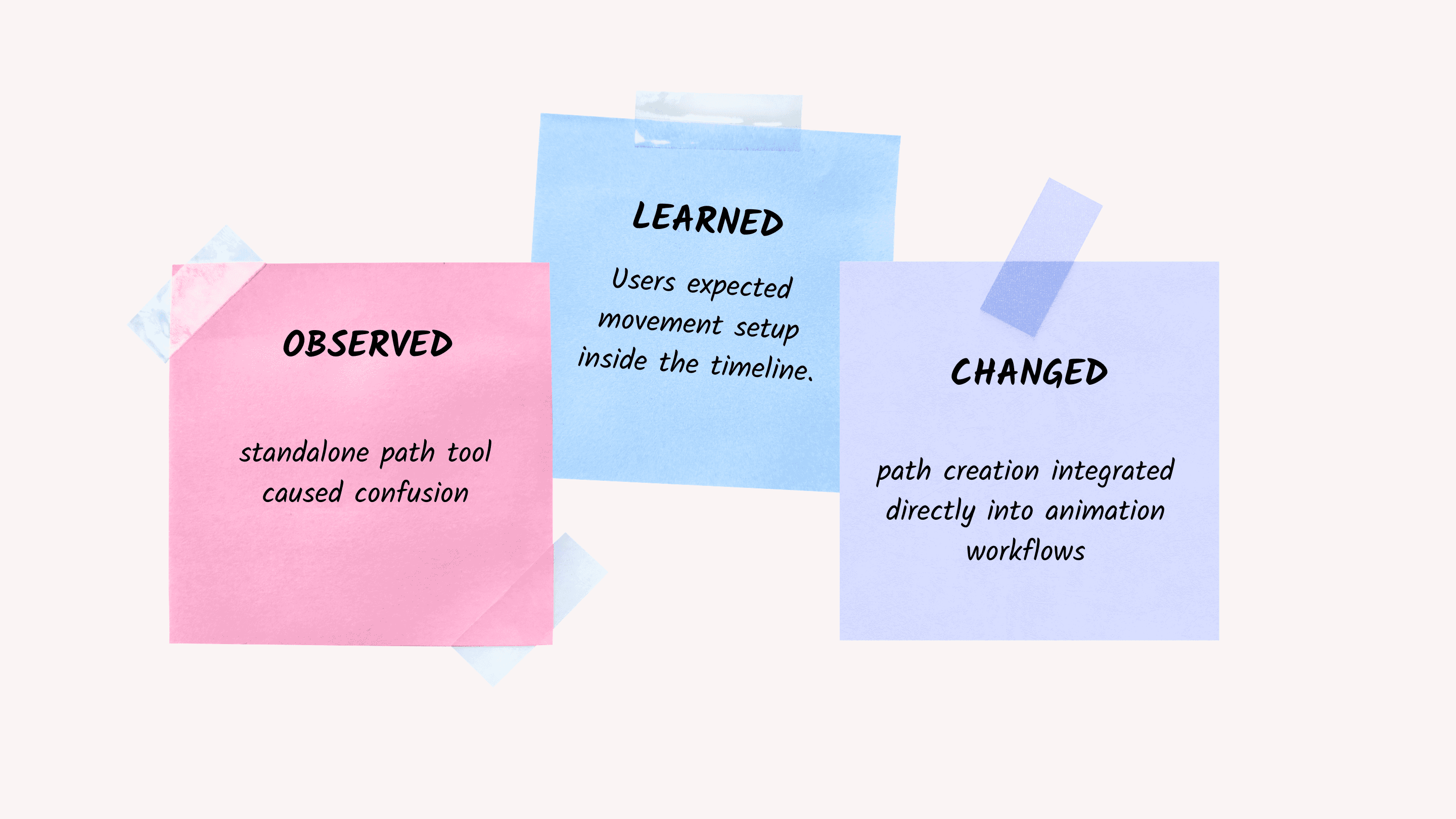
One particularly clear example was path-based animation. We initially exposed path creation as a standalone tool. Testing showed that users found this confusing.
Their mental model was much simpler:
If I am animating something, I expect to create its movement from the timeline.
Rather than defending the existing implementation, we treated this as evidence for the next iteration.
Easy Mode v2 is now moving path creation directly into the animation workflow and working toward a unified approach for people, vehicles, and crowd movement.
Leading the Work
The detailed interaction design was owned by the Product Designers on my team.
My role was different. I worked across UX Research, Product Management, Design, and Engineering to:
translate customer evidence into product priorities;
shape the Easy Mode strategy;
help compare and select the appropriate V1 architecture;
protect the simplicity of the experience as scope expanded;
coach designers through interaction and product decisions;
ensure research continued to influence the work throughout development;
maintain alignment between Easy Mode and the broader Enscape → Envision journey;
create space for designers to own detailed solutions without losing strategic coherence.
My job was not to design every Easy Mode interaction. It was to ensure that hundreds of individual design decisions continued solving the same customer problem.

What Shipped
Easy Mode v1 was delivered across the Envision 1.6 and 1.7 releases.
The resulting experience introduced a lower-friction entry point across several of Envision's most challenging workflows, including:
simplified timeline and keyframing;
outcome-focused animation tracks;
visual camera keyframes;
preset-driven transitions;
simplified materials and Enscape material compatibility;
Quick Image and Video Export;
first-launch personalization;
guided onboarding.
The final V1 remained deliberately smaller than the long-term Easy Mode vision. That was intentional. The goal was to establish and validate the interaction model before applying it more broadly across the application.
Early Outcomes
At the time of writing, the finalized Easy Mode v1 experience has only been publicly available for a short period, and granular post-release telemetry is still being improved. I therefore do not attribute broader Envision satisfaction changes directly to Easy Mode.
Overall Envision CSAT increased from 4.62/7 in December 2025 to 4.90/7 in June 2026, with Ease of Use reaching 5.52/7, but these improvements occurred while Easy Mode was still being finalized and were influenced by several broader product and audience changes.
The more meaningful outcomes of V1 at this stage are:
Research-backed product direction
A broad ambition to “make Envision easier” became a concrete product strategy tied to specific customer pain points.
Deliberate scope
The team avoided an overly ambitious application-wide redesign and focused V1 investment on workflows where evidence showed the greatest adoption friction.
A scalable interaction model
Easy and Advanced Mode established a framework for progressive disclosure that can be applied to additional product areas over time.
Portfolio alignment
Easy Mode created a clearer UX bridge between Enscape and Envision.
Evidence feeding the roadmap
Usability findings from V1 directly informed the next iteration, particularly the redesign of path-based animation workflows in Easy Mode v2.
Continuing into V2
Easy Mode was never intended to be a one-release project.
Research showed that path-based animation remained one of the next major sources of complexity.
The team is now applying the same principles to Easy Mode v2:
focus on customer outcomes;
reduce manual setup;
integrate animation controls into the timeline;
use presets and automation before exposing configuration;
preserve a seamless path into Advanced Mode.
I continue to lead the Product Design team responsible for this work, partnering with Research and Product as the experience evolves.
This allows V1 to function not as a finished simplification layer, but as the first stage of an evidence-driven product strategy.
Reflection
Easy Mode was one of the largest and most complex initiatives I had led in Envision. The biggest lesson was that simplification requires active leadership.
Product complexity naturally accumulates. Teams know what their technology can do, stakeholders see opportunities to add value, and individual features often appear reasonable in isolation. But an experience does not become simple by adding every useful capability and organizing it more neatly. Every visible control has to justify the cognitive cost it creates.
My role throughout Easy Mode was often to bring the team back to the original customer problem and ask:
Not what can Envision expose, but what does this user need right now to succeed?
That distinction helped us create an experience that lowers the barrier to advanced visualization without lowering the ceiling of what users can ultimately achieve.