Creating a Consistent Cross-Product Sectioning Experience
Aligning two products around a shared interaction model while preserving the differences that make each workflow effective.
Cross-product UX

Project Overview
Role: Product Design Manager
Products: Enscape & Envision
Team: 2 Senior Product Designers
Industry: 3D Visualization Software
Focus: Cross-product UX · Design leadership · Product alignment · Interaction consistency
Overview
Enscape and Envision support different but connected stages of architectural visualization. Enscape helps architects and designers visualize their work in real time alongside their CAD/BIM workflow. Envision takes that work further, enabling visualization specialists to build more complex scenes and create high-quality presentations and animations.
As the products become increasingly connected, users need to move between them without relearning familiar interactions. When both teams began planning native sectioning capabilities, I saw an opportunity to establish a shared interaction model from the beginning while avoiding the trap of forcing two fundamentally different products into identical solutions.
I managed the two Senior Product Designers responsible for the respective experiences and led the cross-product alignment between Design, Product, and Engineering.
The Challenge
Both products needed to solve the same fundamental customer problem.
Users wanted to cut through complex models to:
reveal interiors and hidden spatial relationships;
create architectural section perspectives;
inspect their designs directly within the visualization environment;
receive immediate visual feedback while manipulating the section.
Without native sectioning, these workflows often required users to modify their original models or create alternative configurations outside the visualization tool. The underlying need was shared, but the product contexts were not.
Enscape was targeting a deliberately simple MVP that supported fast sectioning during an active design workflow. Envision required a more advanced implementation, supporting richer visualization and more complex sectioning capabilities. The goal was therefore not to make the two features identical.
The question we needed to answer was:
How can two products support different levels of functionality while preserving a familiar interaction model for users moving between them?
Establishing a Shared Direction
Before detailed design began, I brought the Product Managers together to align on the problem, requirements, and scope. I facilitated a cross-product workshop where we separated the experience into three categories:
Shared customer need
What problem should both products solve?
Shared experience principles
Which interactions should remain recognizable regardless of product?
Product-specific capabilities
Where should functionality legitimately differ because of audience, workflow, or technical capability?
This was particularly important because one product was targeting an MVP while the other had the foundation for a significantly more advanced solution. Rather than allowing two independent roadmaps to define two independent experiences, we established the common journey first. This gave both designers a shared foundation while leaving room for each product to solve its own detailed UX problems.

Designing for Consistency, Not Uniformity
Throughout the design phase, I held regular cross-product reviews with both Senior Product Designers.
Each designer remained responsible for the detailed UX of their product. My role was to create shared context, identify common interaction patterns, challenge unnecessary divergence, and help the team distinguish between differences that were justified and differences that simply emerged because the work was happening independently.
Our working principle became:
Consistency should preserve the user's mental model, not make two different products identical.
Both products already used the same design system, giving us a common component and visual foundation. But component consistency alone was not enough.
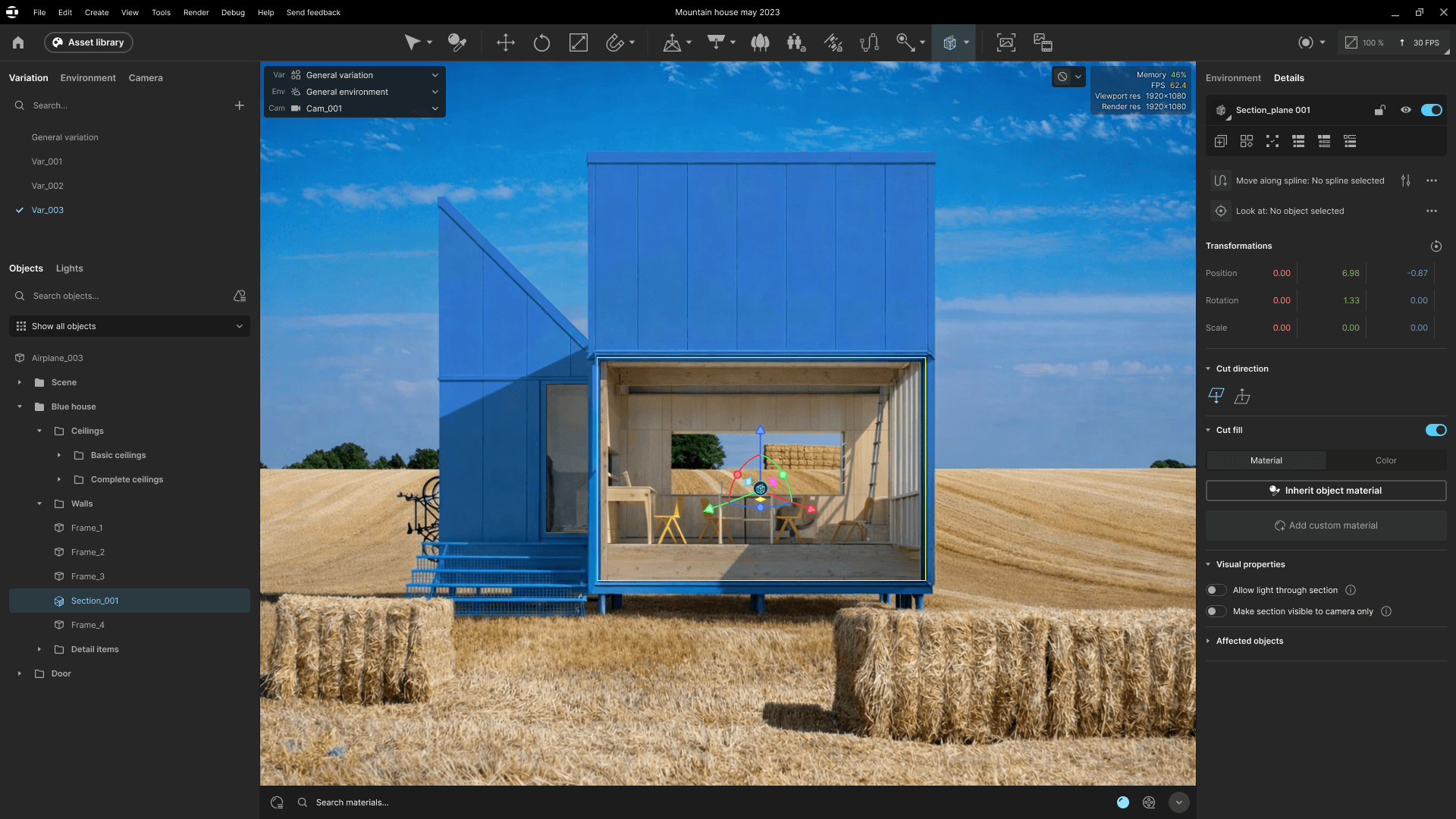
We looked at the complete interaction:
how users discover and start sectioning;
how the section is represented in the viewport;
how users manipulate it spatially;
what feedback communicates that a section is active;
how users leave or return to the workflow;
how section state relates to the broader product context.
This allowed users to encounter recognizable interaction logic even when the capability available in each product was different.

Resolving Product-Specific Differences
One of the most important design questions was where sectioning belonged in each product's mental model.
A section changes the visible state of model geometry.
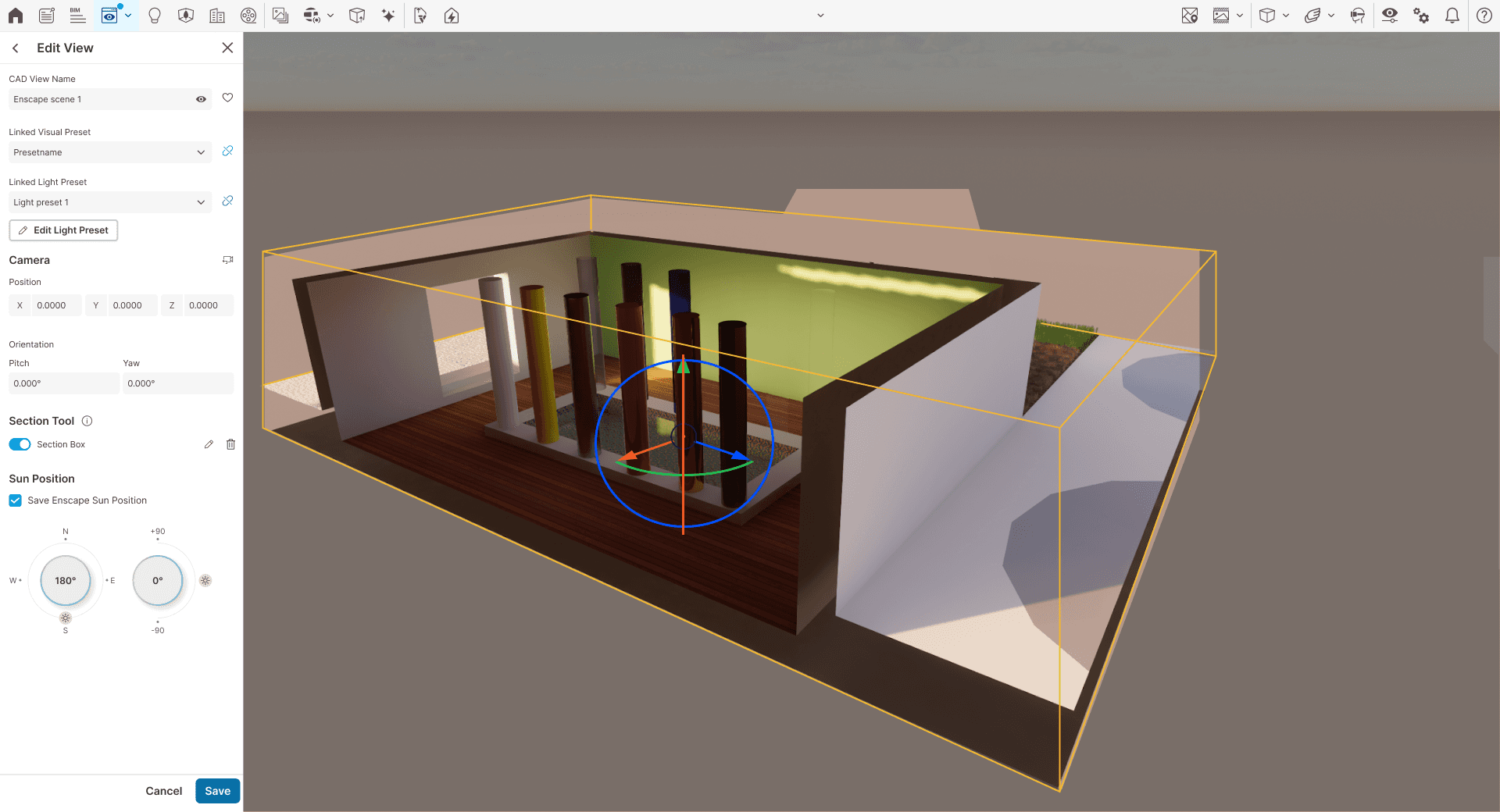
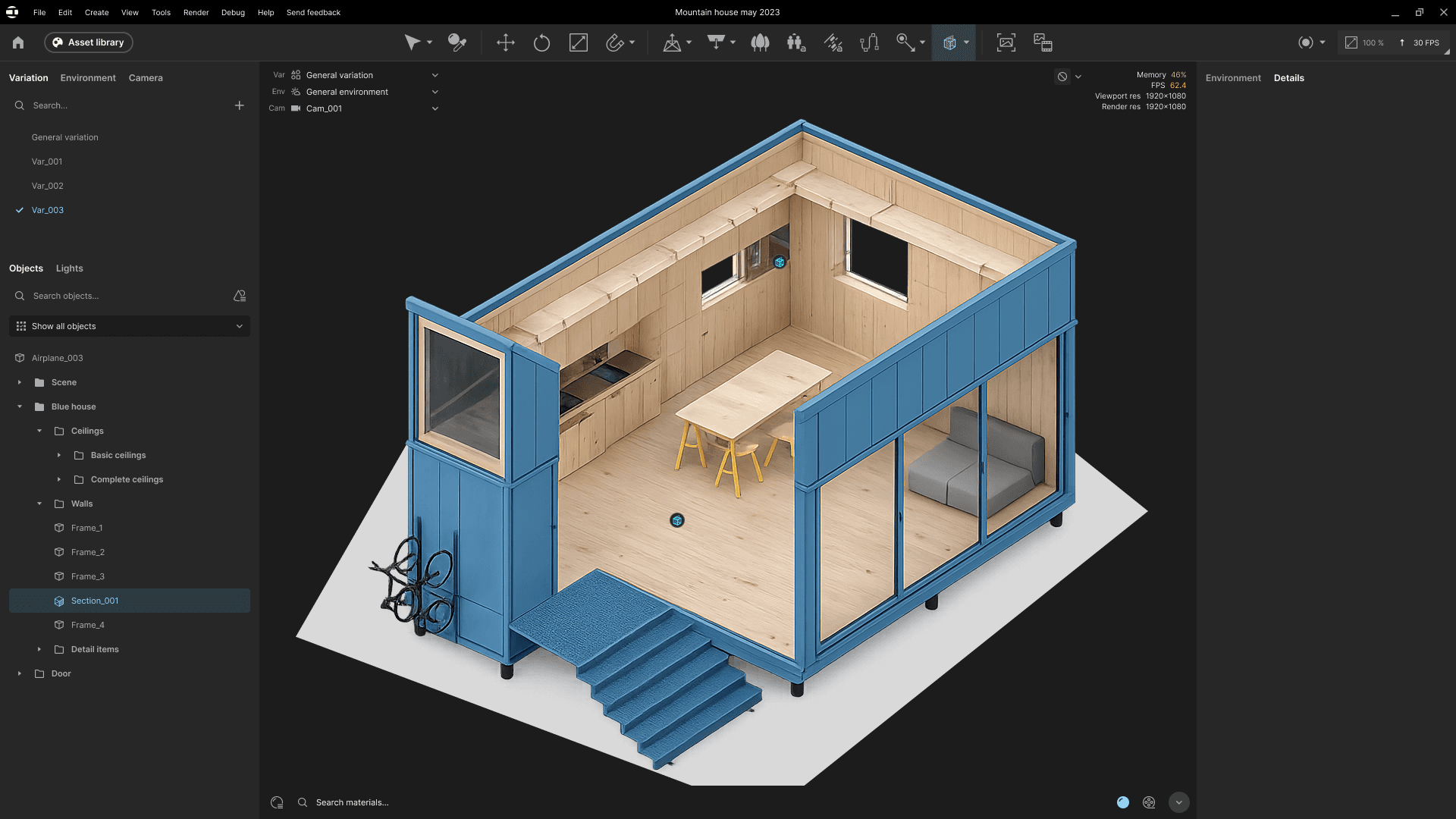
In Enscape, technical architecture linked section state closely to View Management. Changes made to a section therefore needed to be explicitly saved as part of the associated view. Rather than introducing an entirely new interaction model, we worked within existing Enscape patterns so the feature behaved consistently with users' expectations of view editing and saving.
Envision did not require exactly the same relationship between sectioning and view state. Forcing Enscape's architecture onto Envision purely for the sake of consistency would have introduced unnecessary complexity. Instead, we preserved the recognizable interaction around creating and manipulating sections while allowing their relationship to product state to differ.
The result was:
Shared interaction logic, with product-appropriate information architecture.
Finding the Right Amount of Context
Sectioning is inherently spatial. Users need enough context to understand what they are manipulating, but too much persistent UI quickly competes with the visualization itself.
This created another recurring design question:
What needs to remain visible while users manipulate a section, and what can stay out of the way?
The designers explored this within their respective product contexts, while the cross-product reviews helped maintain familiar behavior wherever the underlying user action was the same.
Performance was also an important constraint. Sectioning changes rendered geometry and lighting directly, so the interaction needed to provide immediate feedback without introducing unnecessary confirmation or refresh steps.
The final experiences therefore balanced:
sufficient spatial feedback;
minimal persistent UI;
clear active states;
immediate response during manipulation;
advanced functionality where the product supported it;
deliberate simplicity where the MVP required it.
Leading Across Product Boundaries
The project required more than aligning two sets of screens. It required an operating model that allowed two designers and two product teams to work independently without gradually drifting apart.
I structured the collaboration around six stages:
1. Align the problem
Facilitate cross-product Product discussions to establish common requirements, scope, and principles.
2. Enable independent ownership
Each Senior Product Designer owned the detailed experience within their product.
3. Review together
Regular cross-product design reviews surfaced differences early and allowed us to resolve shared interaction questions collaboratively.
4. Validate with delivery partners
Product and Engineering reviewed progress throughout the work rather than only at final handoff.
5. Maintain cross-product visibility through handoff
Implementation discussions remained visible across both product teams so decisions in one product did not unintentionally undermine the shared model.
6. Support implementation
Design remained involved as Engineering translated the experience into production behavior and raised new constraints or questions.
This structure created alignment without turning me into the approval point for every interaction.
The Designers Owned the Solutions
My role was not to design both features. Each Senior Product Designer owned the detailed UX for their respective product.
My responsibility was to:
establish shared context;
facilitate cross-product decisions;
challenge unnecessary inconsistencies;
help resolve scope and product differences;
maintain visibility between the teams;
protect individual designer ownership while keeping the ecosystem coherent.
This distinction was important.
The goal of design management was not to centralize decisions around me, but to create enough shared direction that two designers could work independently and still produce experiences that felt connected.
Where We Landed
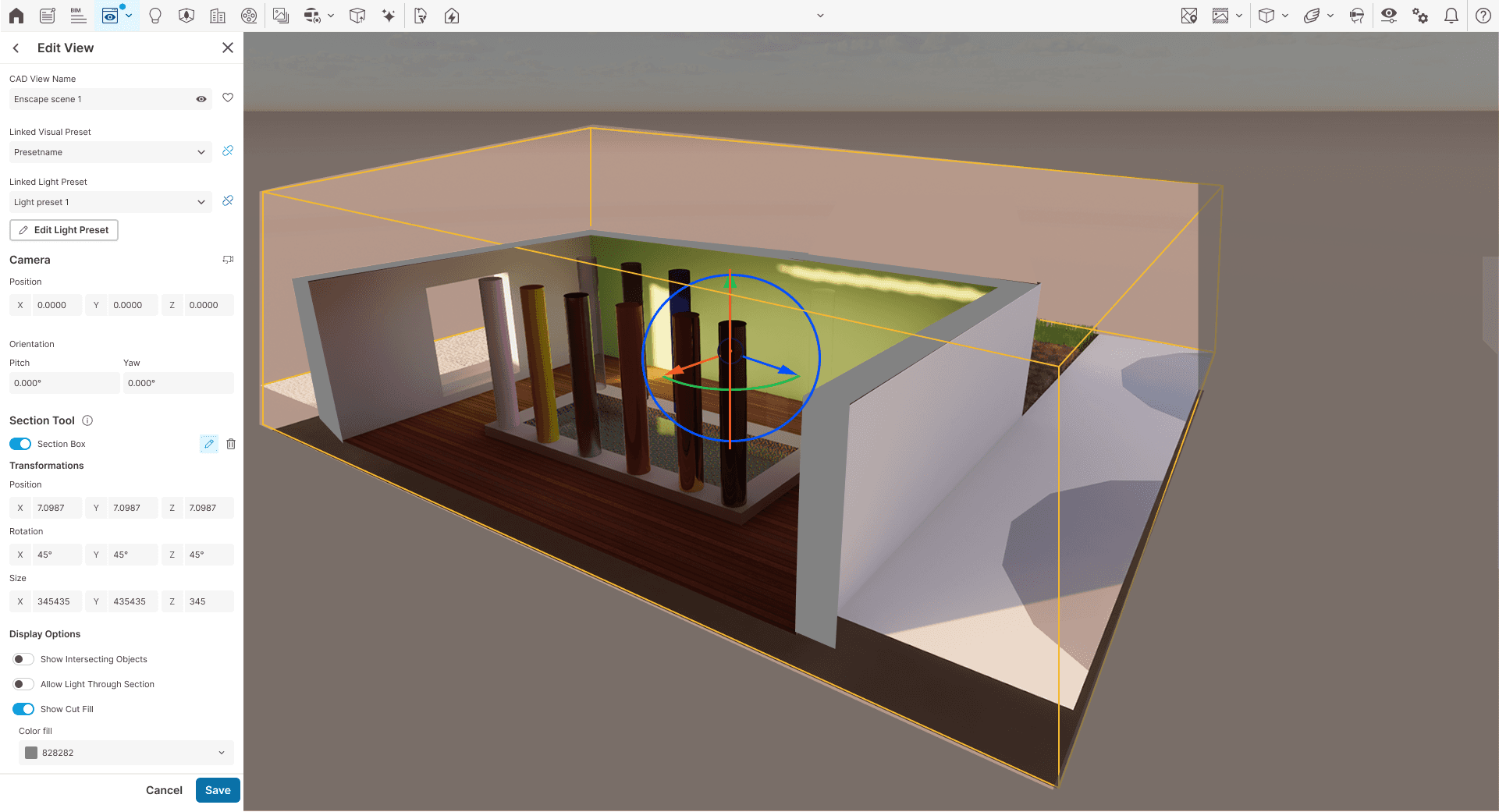
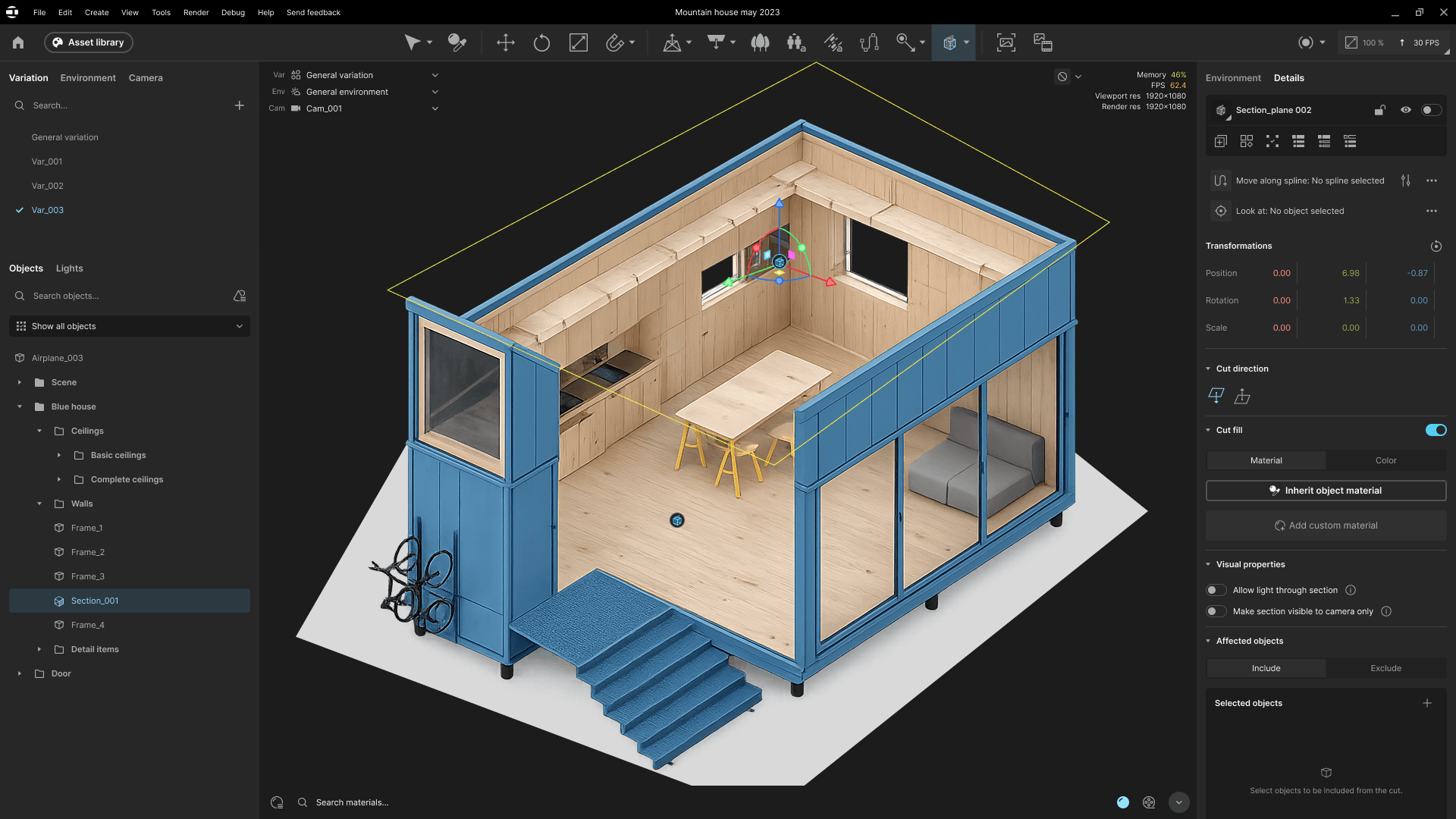
The final direction established a recognizable sectioning interaction across Enscape and Envision while respecting the different purpose, technical architecture, and capability of each product.
The work resulted in:
A shared interaction foundation
Users encounter familiar concepts when initiating, manipulating, and understanding section state across both products.
Intentional rather than accidental divergence
Differences between the experiences are tied to real product needs or architectural constraints rather than two teams solving the same problem independently.
Cross-product design alignment
Both designers and Product teams worked from shared principles and maintained visibility into decisions affecting the wider product ecosystem.
Resolved UX and technical ambiguity
The teams aligned on how sectioning should interact with existing product concepts such as View Management and how those constraints should be communicated to users.
Implementation-ready experiences
Both product teams reached a clearly defined direction with agreed behavior and design specifications ready for development.
Measuring Success After Release
Post-release customer data is not yet available, so I do not consider the story finished at implementation.
After launch, I would validate the experience across three areas:
Workflow effectiveness
Can users create and work with native sections without returning to their source modeling application?
Comprehension
Do users understand the relationship between sectioning, saved state, and existing product concepts such as views?
Cross-product learnability
Can users familiar with sectioning in one product operate it successfully in the other without significant relearning?
I would combine behavioral product data with qualitative customer feedback to identify where interaction patterns work as intended and where further iteration is needed.
Reflection
Joining the project without deep prior knowledge of 3D visualization tools initially felt like a disadvantage. It became one of my most useful perspectives.
I was able to question terminology, interaction assumptions, and established workflows that felt obvious to experienced users but were not necessarily self-explanatory.
It reinforced the value of learning a complex domain without immediately adopting every assumption embedded within it.
This was also one of my first cross-product initiatives at Chaos, and it changed how I think about consistency.
Alignment does not require identical solutions.
As a design leader, my role is to establish the shared principles and decision-making framework that allow designers to work independently while ensuring that customers still experience the products as parts of the same ecosystem.